
Discord-Bot v3.19.2
⚠️ If you are running into any issues with your dashboard, upgrade to this version by restarting your bot.
Included in this update
Admin-Tools
Improvements
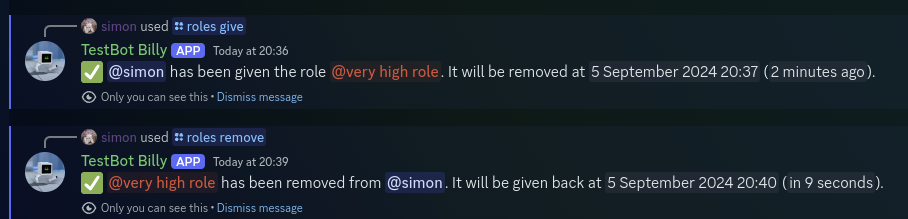
Temporary roles
You can now assign or remove roles temporarily. When assign a temporary role, the role will be removed from the user when the desired duration expires. When removing a role temporarily, the role will be given back to the user after the desired duration expires.
Use the /role give command with the duration parameter, to give a role temporarily. To remove a role temporarily, use the /role remove command with the duration parameter. Leave the duration parameter empty to grant a role permanently.
To check all outstanding temporary roles of a user, check /role status.
/imagine
Improvements
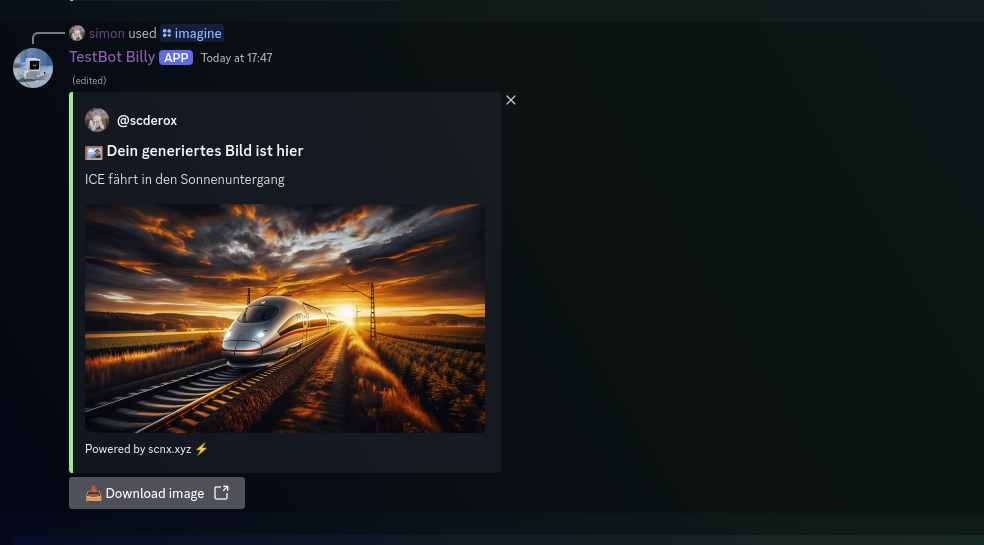
- Improved image generation model: Generate way better images at higher resolution for the same price!
- New resolutions:
1792x1024,1024x1792and1024x1024(default)
Quality of life improvements
- Save generated images: A download button will now be shown below generated images (can be deactivated).
AI-Chat-Channel
Improvements
- Improved Chat-Model, now based on GPT 4.
Role-Nicknames
Improvements
- Support for role suffixes (displayed behind the username).
- Support for enforcing Discord display names: If your server does not allow users to change their nickname, this system allows you to easily enforce role nicknames.
Please note that you might need to re-setup role nicknames.
Please thank @hfgd for their contributions.
Level-System
Improvements
- A new linear leveling curve can now be used instead of the exponential leveling curve used by default.
- You can now customize when level up messages are sent: You can disable them completely, only send them when a level has role rewards, or continue sending them at every level up.
- You can now start your leveling system at level 0 instead of level 1 (this can be enabled retroactively).
- You can now set a maximum level. Users that reached this level can't level up or earn more XP (this can be enabled retroactively).
Staff-List
Improvements
- Added an option to only display a user in the staff list under their highest role.
Custom-Bot Core
Major changes
- Support for the new SCNX Dashboard version