
Discord-Bot v3.23.1
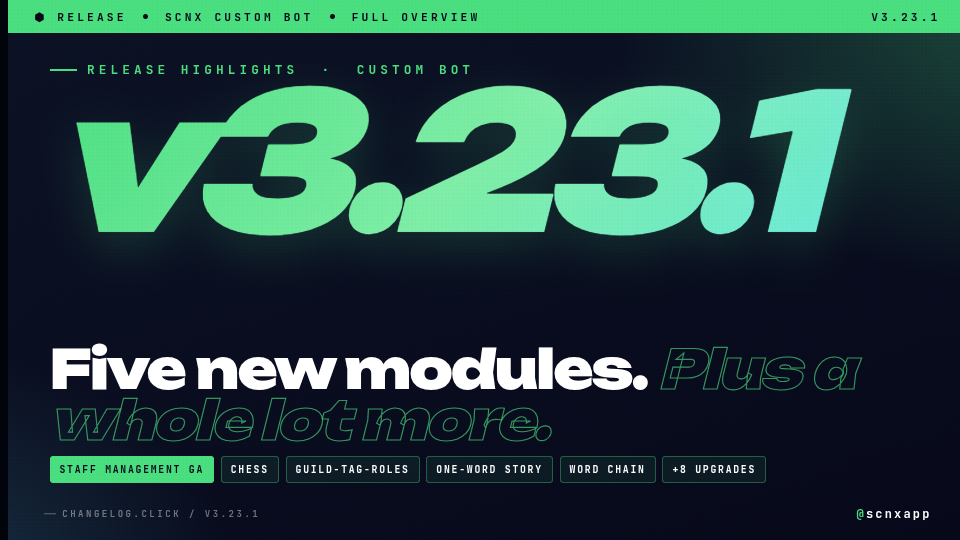
🎉 A big release. Here's what's new at a glance:
✨ Five new modules
- 🛠️ Staff Management System is now out of early access and available on every server
- ♟️ Chess, 🏷️ Guild-Tag-Roles, 📖 One-Word Story and 🔗 Word Chain are joining in early access
🔐 Verification, rebuilt from scratch - new in-channel flow, no more DMs required
🛡️ Quarantine is sturdier - it now survives bot restarts, member rejoins, and manual role removal by staff
📥 Permanent attachment storage - moderation evidence and starboard images now upload to your scnx file library, so they keep working long after Discord's CDN links would have expired
💅 Plus the usual long list of polish and bug fixes across nearly every module.
Included in this update
- Staff Management System
- Chess
- Guild-Tag-Roles
- One-Word Story
- Word Chain
- Moderation & Security
- Temporary channels
- Ping-Protection
- Level-System
- Staff-Goals
- Welcome and Boosts
- Giveaways
- Activity Streaks
- Birthday-Calendar
- Admin-Tools
- Applications
- Twitch-Notifications
- Invite-Tracking
- Name List Cleaner
- Color me
- AI-Chat-Channel
- Starboard
- Staff-List
- Winter Holidays
- Polls
- Quiz Module
- Suggestions
- Role-Nicknames
- Info-Commands
- AFK-System
- YouTube-Notifications
- Advanced Logging
- Custom-Bot Core
Staff Management System
New module for everyone
🎉 The Staff Management System is now available on every server. A single module for running your entire staff team - replace the patchwork of bots, spreadsheets and forum threads with one tightly-integrated workflow:
- ⏱️ Shifts - Clock in, clock out, take multiple breaks. Configurable duty types, weekly/monthly quotas, a duty-time leaderboard, and an optional audit channel that records every shift event.
- 🌴 Leave of Absence & Reduced Activity - Members request time off through Discord, supervisors approve or deny in one click, and the bot can automatically assign a status role for the duration.
- ⚠️ Infractions & Suspensions - Issue warnings, strikes, demotions, terminations or under-investigation markers. Temporary suspensions automatically remove staff roles for the duration and restore them when the suspension ends.
- 🎖️ Promotions - Promote with one command, optionally auto-assign the new role and post a fully customisable announcement.
- 👤 Staff profiles & reviews - Every staff member gets a profile with a 1-5 star rating, review history and reputation tracking that members can contribute to.
- ✅ Activity checks - Run periodic check-ins on selected roles and see exactly who responded, who didn't and who needs a follow-up.
- 🔐 Three-tier role-based access - Staff Roles, Supervisor Roles and Management Roles each unlock the right level of commands, so juniors only see what's relevant to them.
Enable the module from the module catalog and follow the setup guide to get rolling.
Chess
New module in Early Access
- ✨ New Module: Chess (Early Access) - Play full games of chess against other server members or the built-in AI, right inside Discord. Enable the module and start playing with
/chess challengeor/chess challenge-ai. - 🧵 Async games in threads - Every game runs in its own dedicated thread, so long-running matches stay neatly out of the main channel and get archived automatically when the game ends.
- ♟️ Three ways to move - Type a move directly in the thread (
e2e4,Nf3,O-O), click the Move button and type algebraic notation in a popup, or use the guided piece → destination select menus. - ⚖️ Material balance - The game embed shows a live material balance (White +3, Black +1, Even) so it's obvious who's ahead.
- 🎨 Smart board rendering - Every move produces a fresh board image with check and last-move highlighting. The board is automatically flipped to the perspective of whoever is about to move, so you always see your own pieces at the bottom.
- 🤖 AI opponent - Play solo against the engine on Easy, Medium, or Hard.
- 🤝 Draws, resignations, and history - Offer draws in PvP games (auto-declined on the next move), resign with confirmation, and review completed games via
/chess historyor the Moves button that stays on every finished game. - ⏱️ Timeout & reminder system - Configurable move timeout with automatic reminder pings and eventual forfeit, so stalled games don't block player slots.
- 📊 Multiple concurrent games - Each player can have several games at once (no duplicates between the same two players), and games are auto-forfeited when a player leaves the server.
Guild-Tag-Roles
New module in Early Access
- ✨ New Module: Guild-Tag-Roles (Early Access) — Reward users who equip your server's guild tag with one or more roles. When a member activates the tag, the configured roles are assigned automatically; when they remove the tag, the roles are taken back.
- ⚙️ Pick the roles to assign in the module's settings.
One-Word Story
New module in Early Access
📖 One-Word Story is now available. A collaborative storytelling module where each member adds exactly one word at a time. Configure story channels, an optional archive channel, and a moderator role; supports word caps, idle-round hints, and customizable milestones.
Word Chain
New module in Early Access
🔗 Word Chain is now available. Each new word must start with the last letter of the previous word. Pick the channels it runs in, set a minimum word length, and decide whether words can repeat. Includes milestone messages, idle hints, and /word-chain reset for moderators.
Moderation & Security
Major changes
- 🔐 Verification System Overhaul — Completely redesigned verification with new in-channel flow. Users click a "Verify Me" button right in the verification channel — no more DMs required.
- Three verification modes: Captcha (in-channel image), Simple (math/word challenge popup), and Manual (staff approval).
- Configurable retry attempts, cooldowns, and punishment durations.
Improvements
- 🧾 Moderation evidence stays viewable forever - Proof files attached to a moderation action are now uploaded to your scnx file library and the case log links to the permanent URL instead of Discord's expiring one. Stored files count against your file-storage quota; opt out via the Disable attachment archival core setting.
- 🛡️ Stop other bots and reaction roles from un-locking quarantined users - New Strip new roles from quarantined users option (off by default): any role added to a quarantined user (via Discord's Channels & Roles tab, reaction roles, or another bot) is removed automatically. Server boosts and other managed roles are untouched.
- 🛡️ Prevent manual quarantine role removal - New option (off by default): if a staff member strips the quarantine role manually instead of running
/moderate unquarantine, the bot re-applies it and posts a note in the log channel with who did it. Forces every unquarantine through the audited command path.
Bug fixes
- 🔒 Channel locks and server lockdowns now silence everyone - Roles that got their permission to write from the server-wide or category-level setting were sometimes skipped during a lock and could still send messages. They are now correctly silenced.
- 🛡️ Repeated triggers no longer pile up actions on the same user - Anti-Spam and Anti-Join-Raid sometimes ran the configured punishment several times in a row when a burst of messages or joins arrived before the first action finished. The bot now waits for the first action to complete.
- ✂️ Long reasons no longer break the log entry - Moderation reasons over Discord's 1024-character limit used to crash the log post; they are now shortened automatically.
- 🔨 Banning with "delete messages for X days" works again - The
daysoption on/moderate banwas being ignored. Selecting 1-7 days now actually removes the banned user's recent messages. - 🤐 Muting an already-muted user no longer double-prefixes the nickname - Re-applying a mute used to produce names like
[Muted] [Muted] Username. The prefix is now only added once. - 🏷️ Unmute and unquarantine keep role prefixes and streaks intact - These actions used to wipe the nickname back to the bare display name, stripping role decorations and active streak suffixes. They are now preserved.
- 🛡️ Quarantine sticks across leaves and rejoins - Users who left the server while quarantined could rejoin and end up without the quarantine role. Quarantine state is now stored permanently and re-applied on rejoin, no matter how long they were gone. Works for every trigger: manual, Join Gate, Anti-Join-Raid, Anti-Grief, AutoMod, failed verification, and the message filters (invites, scam links, blacklisted words).
- 🛡️ Welcome roles no longer overrule a Join-Gate or Anti-Join-Raid quarantine - Welcome-role assignment used to fire half a second after the quarantine and effectively cancel it. The welcomer is now skipped on quarantined joiners.
- 📝 Unquarantine reasons in the audit log now show the moderator and reason - The text written to Discord's audit log when running
/moderate unquarantineused to contain raw%uand%rplaceholders. Both are now filled in.
Temporary channels
Major changes
📦 New: Channel Archiving
When all members leave a temporary channel, it can now be moved to a hidden archive category instead of being deleted. When the creator rejoins the creation channel, their archived channel is restored with its previous settings (public/private mode, allowed users) intact.
Improvements
- 🔢 New channel limit feature with a dedicated toggle — limit the maximum number of active temporary channels
- 🛡️ New Private Mode Bypass Roles — configure roles that can always join private temporary channels
- 🎛️ The NSFW and bitrate fields in the edit modal now use dropdown selects instead of text inputs
- 📝 All message config fields now support embeds
- 👤 Users can no longer be added to a channel's access list multiple times
- 🆕 User list supports the new V4 message editor - The output of the
/temp-channel list-userscommand now appends the allowed-users list as a V4 text block when the configured message uses the V4 layout, instead of squashing it into the embed description.
Bug fixes
- 🔒 Private mode now correctly denies
ConnectandView Channelon@everyoneand explicitly grants access to the creator and allowed users - 🔒 Removing a user from a private channel now creates an explicit deny overwrite instead of deleting the overwrite
- 💾 The
isPublicstate is now correctly persisted on changes - 🧹 Default for "Create no-mic-channel" changed to disabled (Discord now has built-in text-in-voice)
Ping-Protection
Improvements
- 🆕 Reworked user panel -
/ping-protection user panelnow uses a dropdown to navigate between an overview, ping history, moderation history, and a dedicated data-deletion page, instead of three separate buttons. - 🆕 Granular data deletion with cooldowns - You can now delete just the ping history, just the moderation history, or all stored data for a user. After any deletion, a cooldown blocks every further deletion on the same user (24 hours after a partial deletion, 168 hours after a full wipe). A full wipe additionally requires Administrator permission and a confirmation step before it runs.
- 🆕 Role-based ping thresholds per moderation action - Each moderation rule can now define custom ping thresholds for specific roles. Setting a role's threshold to 0 exempts members of that role from the action entirely; if a member has multiple configured roles, the highest one applies.
- 🆕 Whitelisted categories - Channel categories can now be added to the ignored-channels list, automatically whitelisting every channel under them. Note: Discord's native AutoMod does not support category exemptions, so when AutoMod is enabled the message is still blocked, just not logged or counted.
Quality of life improvements
- 🛠️ Punishment failure messages link to troubleshooting docs - When a moderation action fails (e.g. the bot's role is too low to mute the user), the error message in Discord now includes a link to the relevant troubleshooting section in the documentation.
Bug fixes
- 🐛 Action-log message respects the action-logging toggle - The configured action-log message is no longer sent when action logging is disabled for the rule.
- 🐛 Automatic ping-history wipe after retention period now runs - The 'delete all ping history after timeframe' option was being silently ignored. Old ping history is now actually deleted once it falls outside the retention window.
Level-System
Improvements
- 📊 Daily message & voice stats - The
/profileembed now shows messages sent today and voice time today next to the existing lifetime totals. Counters reset at midnight in your bot's configured timezone. - 🧩 Richer level-up messages - Level-up announcements (both the channel message and the role-reward variant) gained seven new placeholders:
%xpGained%,%xpType%(Message or Voice),%totalXP%,%nextLevelXP%,%totalMessages%,%messagesToday%and%voiceTimeToday%. Build congratulation messages that actually show off the member's progress. - 📊
/leaderboardno longer clutters the channel - Leaderboard replies are now ephemeral while keeping pagination fully working. - 🧮
/calculate-levelcommand - Takes a target level and shows the level formula, XP required, message count (min / avg / max) and voice-channel minutes. Enable via Enable /calculate-level command.
Bug fixes
- 🐛 Voice XP no longer duplicates between members - When one member joined, left, muted or deafened, another member's voice XP session in the same channel could end and reopen, causing some members to gain XP twice for the same minute and others to lose their session entirely. Voice XP is also now only granted when at least two non-bot members are in the channel - sitting alone no longer counts.
- 🐛 XP no longer freezes for the whole server due to one bad user record - A single corrupted XP or level value could spin the level-up loop forever and stall XP grants for every member. Stored values are now sanity-checked first, and manual
/manage-levelsadjustments are capped. - 📊 Cleaner role-multiplier display on
/profile- The aggregated role multiplier in the profile embed now uses proper number formatting (thousands separator, max two decimals) instead of raw floating-point output. - 📜 Leaderboard channel no longer breaks on long entries - The auto-updated leaderboard channel could overflow Discord's per-field limit and stop rendering. It now stops adding entries before the limit is reached.
Staff-Goals
Major changes
🎙️ New: Voice Activity Goals
Staff members can now be evaluated on their voice channel activity alongside the existing message goal.
- 🎯 Set a weekly voice minute target with the new "Enable Voice Goal" option
- 🔇 Optionally ignore specific voice channels from counting
- 🎭 Override the voice goal per role, just like message goal overwrites
- 📊 New
/team-goals voice-progresscommand to check voice activity progress - 📨 Separate Voice Goal Achieved Message and Voice Goal Failed Message config fields for voice-specific evaluation notifications
- 📝 Weekly evaluation messages now include
%voiceMinutes%and%voiceGoal%template parameters
Welcome and Boosts
Improvements
- 🛡️ Treat join roles as base roles (auto-restore) - A new opt-in setting keeps every regular member's join roles in sync with the Give roles on join list. If a join role is removed from a member, the bot adds it back; when a member is released from quarantine or a Join Gate / Anti-Join-Raid hold, missing join roles are granted; and a daily sweep catches anything in between. Quarantined, held, and pending members are excluded so the feature does not interfere with moderation.
Bug fixes
- 🐛 Welcome-message cleanup on member leave works again - The Delete welcome message option was silently doing nothing. Welcome messages are now correctly deleted when the member leaves, as configured.
Giveaways
Improvements
- 🎲 New
prevent-duplicatesoption on/gmanage reroll— when enabled, previous winners from the original drawing or any prior reroll are excluded. Works across unlimited rerolls.
Bug fixes
- 🐛 Cleaner single-role requirement message - When a giveaway requires only a single role, the requirement line now reads naturally ("Must have the role @Role to enter") instead of awkwardly saying "one of these roles" for a list of one. Multi-role requirements are unchanged. Also fixed a glitch where updating a giveaway with both a message-count and a role requirement could replace the message-count line and list the required roles twice.
Activity Streaks
Improvements
- 🎖️ Only keep highest streak role - New Only keep highest streak role toggle: when enabled, lower streak roles are automatically removed when a user reaches a higher tier, so each member only ever has the role matching their current streak (mirrors the levels module's equivalent option).
Birthday-Calendar
Improvements
- 🎂 The birthday embed now includes a "Set Birthday" button for easy registration directly from the embed. The button label is configurable — clear the field to hide the button entirely.
- 🚫 Disable year input — New option to hide the year field from commands and modals. When enabled, age is hidden from embeds and birthday messages.
- ✨ Components V2 layout option for the birthday embed.
- 👤 New user display mode setting — choose between mention, tag, or nickname.
- 🧹 New daily channel cleanup — auto-deletes user messages in the birthday channel.
- 🎂 Pre-birthday notifications - The bot can now post a notification a configurable number of days before each member's birthday. Enable via Enable pre-birthday notifications? and configure the lead times via Pre-birthday lead times (days).
- 📅
/birthday upcomingsubcommand - Lists upcoming birthdays in the next N days. Enabled by default; tune the default window via /birthday upcoming default range (days). - 🗂️ Reorganized configuration - Birthday settings are now split into clearer dashboard tabs.
Admin-Tools
Improvements
⏱️ New: Always-Temporary Roles
Define roles that are always temporary. Whenever a user receives one of these roles — whether assigned manually, by a command, or by another bot — the role is automatically removed after the configured duration.
- Role: Select a Discord role to make always-temporary
- Duration: Set how long the role lasts (e.g.,
24h,7d,30m) - If the same role is assigned again before expiry, the timer resets
- ✨ Role Bans — Automatically ban users when they receive a specific role. Users with "Manage Roles" permission are exempt.
- ⚙️ Configurable ban reason and message deletion days (0-7) per role.
Bug fixes
- 🐛 Role bans now trigger reliably - Role bans were skipped if the ban-role landed in the same update as other role changes (e.g. via role-sync, another bot, or a multi-role update). They now fire in every case.
Applications
Improvements
- 🆕 Application submissions support the new V4 message editor - When the application notification message is configured with the V4 layout, submitted answers are now rendered with matching V4 components (one text block per question, up to 10) instead of falling back to the legacy embed. Notifications still using the legacy embed format are unchanged.
Bug fixes
- ⏱️ Long applications no longer time out mid-flow - Application sessions used to be dropped silently 30 minutes after
/apply, even while the user was actively answering. The timer now only fires after 30 minutes of real inactivity, and the bot DMs the user when their session expires so they know to start over instead of waiting for a question that will never come. - 📎 Submission still goes through when the paste service is down - When the paste service was unavailable, submissions ended up with a broken link and were unusable. The bot now retries automatically and, if the service is still unreachable, attaches the full answers as a file to the staff-channel notification.
- ⏭️ Sending answers very quickly no longer skips questions - Answering two questions in rapid succession could push the flow forward by two and skip a question. Quick consecutive answers are now handled in order.
- 📩 Old DM messages from a previous attempt no longer advance the flow - If a user started an application, abandoned it, then started a new one later, stale earlier replies could be picked up as answers. Only fresh messages count.
- 🤖 Bot replies in DMs are ignored
- ⚠️ Approve/deny on a deleted application now shows an error - Acting on an application record that has since been deleted previously crashed the action. The staff member now sees a clear error instead.
Twitch-Notifications
Bug fixes
- 🔧 More reliable Twitch notifications - Improved the delivery of Twitch live notifications so streams are picked up more consistently.
Invite-Tracking
Bug fixes
- 🐛 Vanity-URL joins are detected reliably after a bot restart - The first member joining via your server's vanity URL after a restart or module reload used to be logged as
unknown-invite. The vanity-invite cache is now ready at startup, so it's recognised correctly.
Name List Cleaner
Major changes
- ⚠️
Keep nicknameoption no longer changes the result - Previously, disabling this option fully reset the nickname to the username when a disallowed character was found. The cleaner now sanitizes the base name in place either way; the visible result is similar but no longer a hard reset, and decorations from other modules are preserved on top regardless.
Bug fixes
- 🐛 No longer fights with role nicknames - The cleaner used to strip the leading
[of a configured role prefix. It now only sanitizes the underlying base name and leaves role decorations alone. - 👥 User Whitelist now actually exempts users - Members on the user whitelist could still have their nickname cleaned up. Whitelisted users are now skipped as intended.
Color me
Bug fixes
- 🐛 Two members using
/color-meat the same time no longer overwrite each other - Simultaneous/color-me managecalls from different users used to apply the wrong member's color or icon. Each call is now isolated.
AI-Chat-Channel
Major changes
- 🛑 "Troll" and "Conspiracy theorist / Liar" personalities removed - both personalities have been retired for compliance with the EU AI Act's rules on manipulative and deceptive AI. Servers that had one of them selected fall back to the default personality on next reload. The remaining personalities (Default, Funny friend, Rude coffee shop employee) and custom system prompts are unaffected.
Starboard
Improvements
- 🖼️ Starboard images stay visible forever - Images attached to starred messages used to break after a few hours, when Discord's CDN URLs expired. They're now uploaded to your scnx file library and embedded as a permanent link, so old starboard posts keep their images. Note: archived images count against your guild's file-storage quota, and you can opt out with the new Disable attachment archival core setting.
Bug fixes
- 🐛 Reactions on older messages now register correctly - Adding or removing the starboard emoji on a message that was no longer in the bot's recent cache could be silently dropped. Such messages are now fetched first, and the check works even for members not currently cached.
Staff-List
Improvements
- 💾 The Staff-List now stores its message ID in the database instead of editing the last bot message. The channel no longer needs to be empty, and multiple embeds in the same channel work correctly.
Winter Holidays
Improvements
- 💾 The advent calendar message is now tracked via the database, preventing the bot from accidentally overwriting other messages in the channel.
Polls
Improvements
- 🗳️ Multiple answers per voter -
/poll createnow has amax-selectionsoption to allow voters to pick more than one answer (0for unlimited).
Quiz Module
Improvements
- 🖼️ Images in quiz questions - Questions can now include an image displayed above the answer choices. Upload through the dashboard's image picker or paste an
http(s)URL. - 📝 Custom question headline - Optional headline field replaces the default quiz title for that question.
Suggestions
Quality of life improvements
- 🧹 The
/manage-suggestionautocomplete now only shows pending suggestions — already accepted or denied suggestions are hidden from the dropdown.
Role-Nicknames
Bug fixes
- 🐛 Role suffixes no longer stack when activity streaks are enabled - A role-based nickname suffix (e.g.
❤) was re-added on every streak update, eventually filling the 32-character nickname with copies of the same symbol. - 🔧 Same-size role swaps now refresh the prefix/suffix - When a user lost one role and gained another in the same update, the prefix/suffix used to stay stale. Role changes are now detected by which roles changed, not just how many.
Info-Commands
Bug fixes
- 🐛
/info userinfoonly shows stats from enabled modules - The userinfo embed used to render birthday, level and invite-tracker sections even when those modules were disabled, leaving empty or stale entries. Disabled modules now drop off the embed cleanly.
AFK-System
Bug fixes
- 🐛 Ending AFK no longer restores an outdated nickname - If a user's role or streak changed during AFK, ending AFK used to bring back the nickname from when AFK started. The bot now reflects the current state.
YouTube-Notifications
Bug fixes
- 🧼 Cleaner video notifications - HTML tags are now removed from YouTube video descriptions before they're inserted into notification messages, and the
%channelName%placeholder uses the channel's real name instead of the per-video author string.
Advanced Logging
Improvements
- 👋 Join & leave logging - The Advanced Logging module now records member joins and leaves in the Member-Updates log channel, with account age on joins and server-tenure + roles-at-leave on leaves. Kicks and bans are excluded from the join/leave log to avoid double entries.
- 📎 Optionally archive attachments from deleted messages - The Advanced Logging module has a new opt-in setting, Archive attachments from deleted messages, that uploads attachments of deleted messages to your scnx file library so they remain viewable in the log channel after Discord's URLs expire. Disabled by default - only enable this if your server policy supports retaining deleted-message content. Archived files count against your file-storage quota, and the global Disable attachment archival core setting overrides this.
Quality of life improvements
- 🛠️ Member role changes log to the right channel - When a member is given or loses a role, the entry now goes to the Role-Updates channel instead of Member-Updates.
Bug fixes
- 🔨 Bans and unbans show up in the log channel again - A regression had stopped recording them in the Advanced Logging channel. Both are tracked again.
- 👢 Kicks are now logged too - The Advanced Logging module now records kicks alongside bans and other moderation actions.
- 🧯 Logger no longer crashes on automatic Discord actions - Some audit-log entries (e.g. Discord's own automatic actions) arrive without a clear actor and used to crash the handler. They are now skipped cleanly.
Custom-Bot Core
Major changes
- 🛠️
Change nicknamecustom-command action is now sticky - When the Role-Nicknames module is enabled, theChange nicknameaction stores the new name as the user's preferred base. The chosen name now survives role changes and streak updates instead of being overwritten on the next event. With the Role-Nicknames module disabled, behaviour is unchanged.
Improvements
-
📥 Permanent attachment archival - Several modules in this release (Starboard, Moderation, optional Logging) now upload Discord attachments to your scnx file library so the URLs in posts and logs keep working long after Discord's CDN URLs would have expired.
Storage usage: archived files count against your guild's file-storage quota - check your current usage on the files page. Free-plan guilds may need to upgrade or delete old files if the quota fills up.
How to opt out: flip the new core setting Disable attachment archival in the General Configuration. With archival disabled, no attachments are uploaded to scnx, but features that rely on permanent URLs will revert to the old behaviour and break once Discord's URLs expire.
-
✅ Self-role dropdowns now confirm before applying changes - Picking roles in a self-role dropdown opens an ephemeral confirmation that lists which roles will be added or removed. Members can adjust the selection there and press Apply to commit or Cancel to discard; nothing is changed until they confirm. The original public message is left untouched.
-
🔁 The bot recovers automatically when kicked and re-invited - If the bot gets removed from your server, it now stops its in-flight intervals and scheduled jobs immediately and waits for the re-invite; once re-added it reloads its configuration and resumes without needing a manual restart.
Bug fixes
- ✂️ Custom messages with overlong fields no longer crash - Embeds whose title, description, field name, or field value exceeded Discord's per-field limits used to crash on send. They are now automatically truncated to fit.
- 🐛 Birthday processing finishes even if one member has left - A single missing guild member during birthday role removal or notification used to stop processing for everyone else. The bot now skips the missing member and continues.
- 🐛 Dates and numbers no longer crash on Simplified Chinese - Submitting an application, generating a hunt-the-code report, or running
/admin-tools roleswith a removal date on a bot set to Simplified Chinese (zh_Hans) used to throw a locale error and leave the action half-done. The bot now handles script-qualified locales correctly.