
Discord-Bot v3.25.1
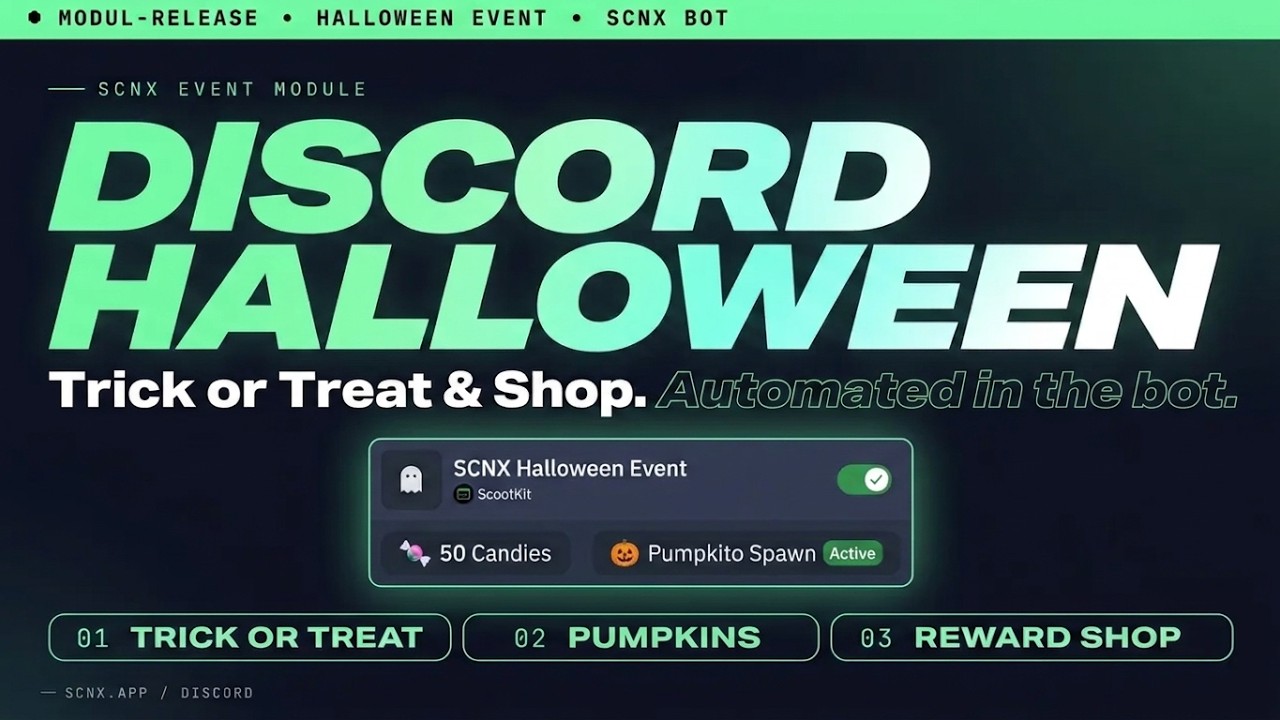
The new Halloween Event is here: members collect candy with /trickortreat, grab pumpkins, try to steal from each other with /spook and spend their candy in a shop you fill with your own rewards. Once set up, it returns every October on its own.
Backups are now taken by your own bot instead of the SCNX bot, with restores you choose part by part and optional password protection. Your bot needs to run on a Next-Gen host for this. The SCNX bot no longer creates backups, but your existing ones are kept.
Included in this update
Halloween Event
New module for everyone
🎃 New module: Halloween Event
The event runs from October 1st through October 31st and cleans up after itself when it ends. Once you've set it up, there is nothing to enable or disable each year.
- 🍬 Members can use
/trickortreatonce a day to collect candy. They might get a normal treat, hit a rare jackpot or be tricked into losing candy, receiving a temporary "haunted" role or getting a harmless scare. - 🎃 Pumpkins appear in the channels you choose, sometimes when chat is active and sometimes at random. The first member to press the button gets the candy.
- 👻 With
/spook, members can try to steal candy from one another. It can backfire, and you can disable the command completely. - 🛒 You decide what
/candyshopsells. The bot can hand out roles automatically; custom rewards can be fulfilled by your team. Each item can have limited stock, a purchase limit per member and its own response message, including embeds. - 🏆 The live leaderboard ranks members by all the candy they have earned, not their current balance. Spending candy will not cost anyone their place. Final standings are posted when the event ends.
- ⏳ An optional countdown channel shows how long is left until the next Halloween. Outside October, event commands show the same countdown.
- 🕯️ Candy earnings are doubled on October 31st.
Enable the event in your module list, then choose the channels and roles you want to use. Everything else comes with sensible defaults. See the Halloween Event documentation for the full setup.
Improvements
- 🧪 Test Mode: Turn on Test Mode and pick a test channel to try the whole event at any time of the year. Candy, purchases, pumpkins and the leaderboard in the test channel are kept separate from the real event and are removed when you turn Test Mode off or change the channel. The bot posts an info message in the test channel, pins it, and drops the first pumpkin right away. Shop roles and the haunted role are handed out for real, and taken back when the test ends.
Custom-Bot Core
Major changes
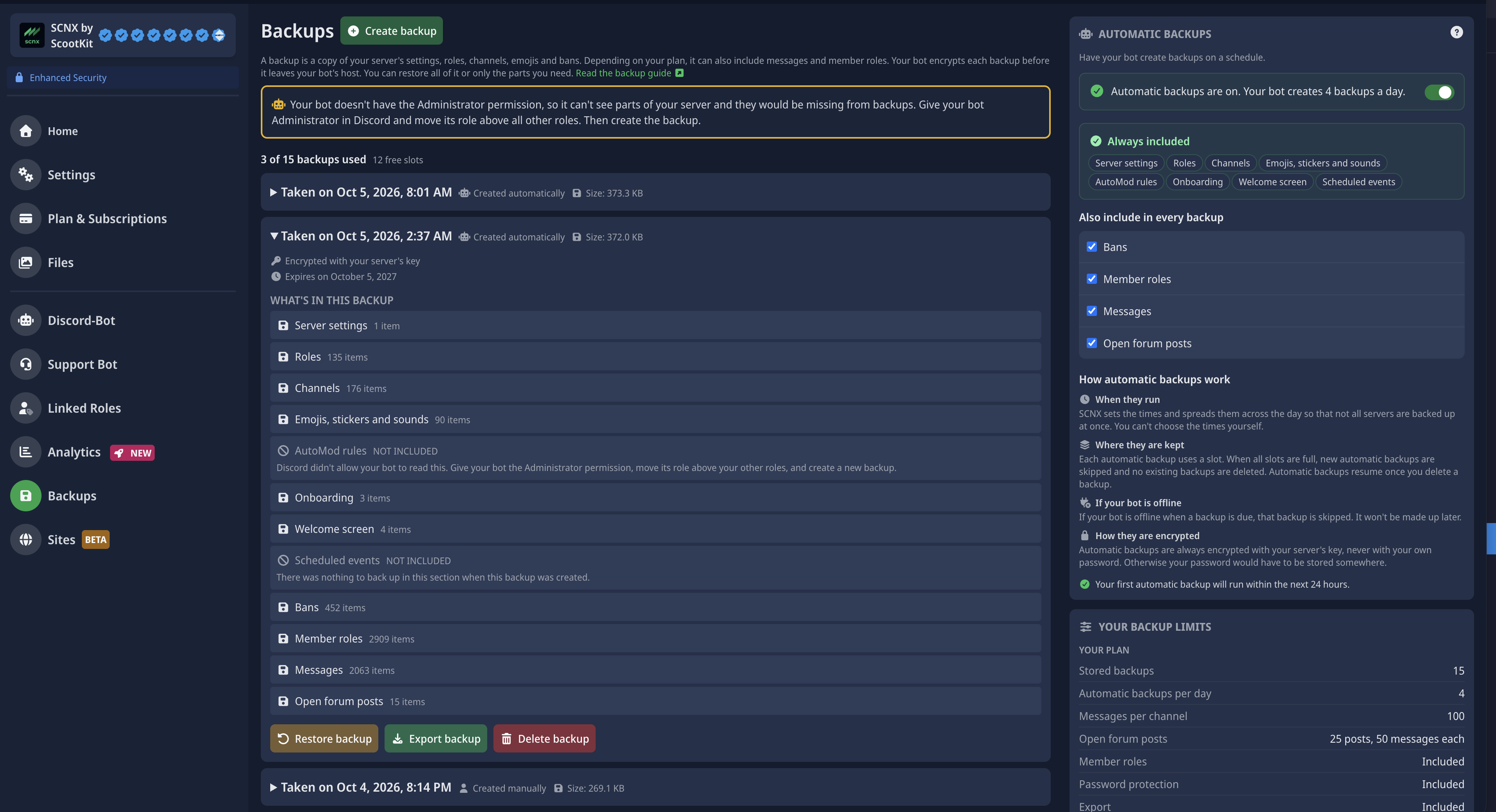
💾 Backups are now taken by your own bot. Starting with this version, your bot backs up your server itself. You no longer need the SCNX bot for backups.
- 📦 Every backup includes your channels and their permissions, roles, server settings, emojis and stickers, AutoMod rules, onboarding, the welcome screen, scheduled events and bans. Depending on your plan, you can also include member roles, recent messages and open forum posts.
- ⏰ Automatic backups run on a schedule, depending on your plan. Your bot encrypts every backup before it leaves its host, and you can protect backups you create by hand with a password only you know.
- ♻️ Restore from the dashboard and choose for each part of your server whether to only add what's missing, replace it or skip it. Nothing is deleted unless you choose to replace something. You see what will change before anything happens and get a report afterwards. You can also restore to another server you own on SCNX. Restoring needs two-factor authentication on your SCNX account.
- 🖥️ Your bot needs to run on a Next-Gen host. Our older hosts can't take backups yet. If your bot runs on one, the backup page offers to move it, or you can wait until we upgrade your host.
- 📋 Our Starter plan doesn't include automatic backups unless your server has Backup+.
👋 The SCNX bot no longer creates backups, neither manual nor automatic ones. Your existing SCNX bot backups are kept. They are listed separately on the backup page, don't use any of your backup slots and can still be restored with /restore-backup. If your server has Backup+ from an earlier subscription, it keeps everything Backup+ includes.
Read the backup documentation for all requirements and the full setup.
Improvements
🔎 Configuration problems are now caught before they cause trouble. The bot checks every configured role and channel to make sure it can actually use them. If a reward role is above the bot's highest role, for example, or it cannot send messages in a log channel, the problem appears in your bot's issue list together with the affected module and setting. Fix the cause and the warning disappears automatically.
The check runs when the bot starts, after each configuration reload and whenever a channel or role changes. Disabled features are ignored, so old settings from a feature you no longer use will not raise false alarms.
🔌 A missing privileged intent no longer keeps the entire bot offline. If Server Members, Presence or Message Content is disabled in the Discord Developer Portal, the bot will still start. Modules that depend on the missing intent are disabled; modules that only use it for optional features keep running. The issue list shows which intent is missing and links directly to the correct Developer Portal page. Enable it there and restart the bot to restore the affected features.
- 🔄 Self-Role Dropdown selection modes: Pick how a member's selection is applied - Replace (today's behavior), Keep & add (adds picked roles, keeps what they already have) or Toggle (adds new picks, removes ones they already hold). Configurable per dropdown in the message editor.
Bug fixes
- 🐛 Dynamic images (e.g. welcome cards, leaderboard images) now retry automatically after a brief hiccup instead of immediately falling back to a generic error image.
- 🐛 Errors in context menu commands (right-click commands on users or messages) now show a clear error message, even when the bot has already started responding.
Moderation & Security
Improvements
- ⏱️ Case logs now use the exact duration you entered. A seven-day mute is shown as seven days instead of being recalculated and rounded from its expiry date. Editing a case updates the displayed duration too.
- 🧾 A new "Append expiry field automatically" setting hides the automatic "Action expires on" field when your template already uses
%expires%or%duration%. - ✍️ Plain-text case-log templates are now respected. Previously, a template without an embed was replaced by the default embed. Private text logs also keep extra details and annotations as additional lines.
Bug fixes
- 🐛 When a member is muted again for longer, the earlier mute expiring no longer removes the newer one.
- 🐛 The user picker in
/moderate unbanis more reliable. Typing quickly could previously clear the results or break the picker on servers with many bans. - 🐛 Anti-spam and invite whitelists now include forum posts, voice channel chat and Stage channel chat. Whitelisting a forum or its category covers every post inside it.
- 🐛 Using
warnas an automatic escalation action no longer creates a duplicate warning. Automatic escalation for mute, kick, ban and quarantine still runs at the configured warning count. - 🐛
/moderate unquarantinenow completes properly when verification is enabled. Verification roles no longer cause an error after the member's roles are restored, and the quarantine nickname is removed as expected. - 🐛 Captcha image on custom-styled messages: The verification image now shows correctly when the verification message uses the visual message builder.
- 🐛 Captcha outages handled gracefully: If the captcha service is temporarily unavailable, members now see a clear "try again later" message (or the DM verification restarts automatically) instead of the flow breaking.
Staff-Goals
Improvements
- 🗓️ Choose when the team-goals week ends. Set a weekday and hour in your bot's timezone, for example just before your weekly team meeting. Previously, the schedule was based on the time the module was first enabled. The first period after this update may therefore be up to a week shorter or longer than normal.
- ✉️ Staff members now receive one combined message for their text and voice goals instead of two separate messages. This is enabled by default and uses new templates. To keep using your existing messages, disable "Send one combined message per staff member".
- 🔀 With the new "Goal Mode", you can let members meet either the text goal or the voice goal instead of requiring both. Results already stored in
/team-goals historywill not change.
Bug fixes
- 🐛 Voice time is now counted accurately when members switch channels, when the bot restarts with members already connected and when a session ends partway through a minute. Progress is saved regularly rather than only when someone disconnects.
- 🐛 The weekly reset can no longer run twice and count the same progress again.
- 🐛 Disabling the voice goal now clears active tracking sessions instead of counting them later.
- 🐛 Progress commands now check the roles of the member being looked up, not the member who ran the command.
- 🐛 Weekly summaries are no longer skipped when an old saved message template is empty. The bot falls back to the current default and finishes sending every summary before closing the week.
- 🐛 Ignored channels now include forum posts and chat in voice and Stage channels. Ignoring a forum or its category covers all posts inside it.
Activity Streaks
Improvements
- 🎭 Remove streak roles on loss: The new Remove streak roles when a streak is lost? option removes reward roles when a member loses their streak or drops below a role's threshold. It is off by default, so earned roles are kept.
- 🛠️ Staff corrections: Staff can now add streaks to a member repeatedly, even after the member's activity was already counted in the current period.
Bug fixes
- 🐛 Members who hid themselves from the streak leaderboard are no longer stuck in that state after the hide command is disabled.
- 🐛 If the role hierarchy prevents the bot from changing a member's nickname, it now reports the problem once instead of retrying endlessly.
- 🐛 Ignored channels now include forum posts and chat in voice and Stage channels. Ignoring a forum or its category covers all posts inside it.
- 🐛 Restore after a lapsed streak: A streak that was reset by a new message after a lapse is now backed up, so
/streak restorecan bring it back. - 🐛 Weekly streaks: Weeks around New Year are now labelled correctly, and existing weekly streaks are carried over during the update instead of being lost.
- 🐛 Simultaneous activity: Several messages or staff actions at the same time no longer cause wrong streak counts.
- 🐛 Staff and restore commands: These no longer time out while the streak is being updated.
Minecraft Server Status
Improvements
- 🕒 Last checked time: Status messages can now show when the server was last checked with the new
%lastUpdated%placeholder. - 🛡️ No more false offline flips: A server is only shown as offline after it was unreachable on two checks in a row, and the status is left untouched when it can't be determined.
- 📋 Clearer logs: The bot now tells you when a server address is invalid, when the server owner opted out of status checks, or when updating the status failed.
- ℹ️ Check interval: Status is now checked every 10 minutes. Your server must be reachable from data centers: some DDoS protection providers (such as Cloudflare or TCPShield) may block the checks, in which case the server is shown as offline.
Massrole
Improvements
- 🧭 Mass Roles now checks whether an action can succeed before touching any members. If the bot is missing Manage Roles, the selected role is above its highest role or the role belongs to an integration, you will see a clear explanation.
- 📊 Partially successful actions now show how many members were updated and how many failed. Both result messages can be customized.
Bug fixes
- 🐛 The first Mass Roles action after a restart no longer reports a permission error even though it succeeded.
Reaction Roles
Improvements
- ✨ Reaction Roles are easier to set up. Paste a Discord message link, then use the regular role picker to choose one or more roles for each emoji. The bot adds all configured reactions to the message for you, and existing comma-separated role selections are converted automatically.
Starboard
Bug fixes
- 🐛 Image placeholders: The author avatar and image placeholders are now recognized as images in the message editor.
- 🐛 Image detection: Image links in messages are now detected more reliably, including links followed by other text.
- 🐛 NSFW channels: Messages from channels inside an NSFW category are now treated as NSFW.
- 🐛 Reactions: Removing your own star on your own message no longer causes errors, and a temporary Discord problem no longer creates duplicate starboard posts.
- 🐛 Missing member: Messages from authors who left the server can now be posted to the starboard.
Level-System
Bug fixes
- 🐛 Members now keep their new level even if the bot cannot grant its reward role. The result shows how many role changes failed and why.
- 🐛 The leaderboard channel now refreshes after a restart and when someone leaves the server. It also stops editing the message every five minutes when nothing has changed.
- 🐛 XP exclusions now cover every channel where messages can be sent. Forum posts inherit the setting from their forum or category, and chat in voice and Stage channels can be excluded too.
Sticky messages
Bug fixes
- 🐛 Stickies survive restarts: The bot now remembers its sticky messages, so they are picked up again after a restart instead of being posted twice.
- 🐛 No more accidental deletions: Only the tracked sticky message is replaced. Other messages from the bot in the channel are never deleted.
- 🐛 No duplicates: Fixed cases where a sticky could be posted more than once when messages arrived in quick succession.
Auto-Message-Delete
Bug fixes
- 🐛 Fixed an error when a channel with a "keep messages" limit had fewer messages than the limit.
- 🐛 Webhook messages are cleaned up too: Messages posted through webhooks (e.g. from other bots or integrations) are now included in auto-delete instead of being skipped.
- 🐛 One failing channel no longer stops the rest: If the bot can't reach a configured channel during startup cleanup, it now continues with the others instead of stopping entirely.
Giveaways
Bug fixes
- 🐛 The default giveaway titles are now in the correct language. The English and German texts had been swapped.
- 🐛 Message-count whitelists and blacklists now include forum posts and chat in voice and Stage channels. Selecting a forum or its category covers every post inside it.
Anonymous Chat
Bug fixes
- 🐛 Deleted webhooks: If the webhook used for anonymous messages was deleted, the bot now creates a new one automatically.
- 🐛 Failed sends: If a message cannot be delivered, the member now gets a clear notice instead of no response.
Word Chain
Bug fixes
- 🐛 Used words are saved correctly again, so the word chain no longer accepts the same word more than once.
Color me
Bug fixes
- 🐛 When two members change their colour at the same time, their colour roles now stay in the correct position in the role list.
/imagine
Bug fixes
- 🐛 Setting the image limit to
0now blocks all image requests as intended. Previously, each member could still generate one image.
Advanced Logging
Bug fixes
- 🐛 Message-log exclusions now include forum posts and chat in voice and Stage channels. Excluding a forum or its category also excludes edits and deletions from every post inside it.
One-Word Story
Bug fixes
- 🐛 Starting a new round with an opening word now shows that word in the confirmation instead of asking for the first word.