
Discord-Bot v3.25.2
10/20/2026 • Discord-Bot• v3
Included in this update
Halloween Event
Major changes
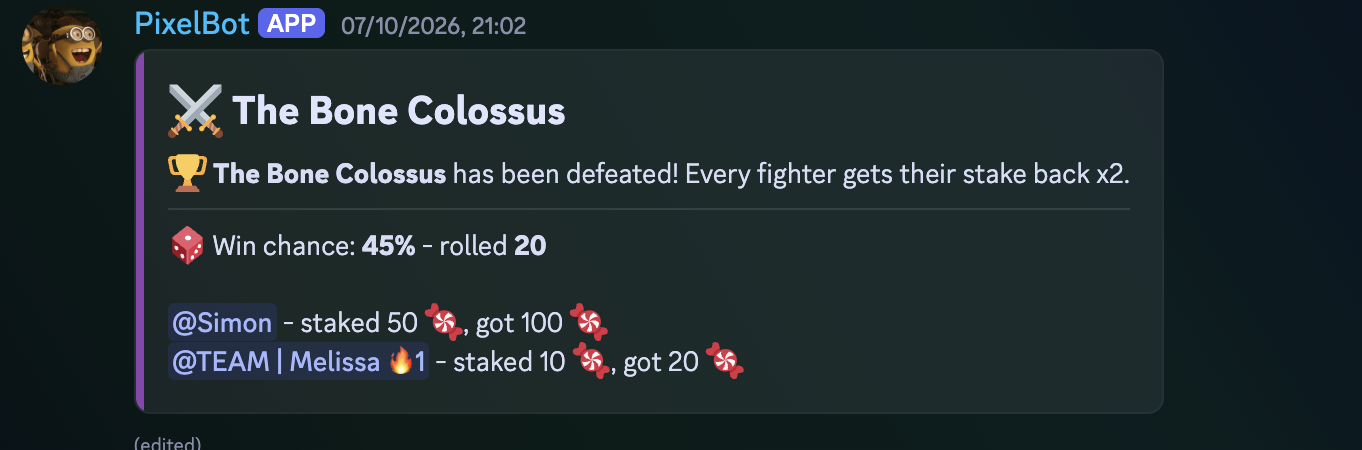
- 👹 Group boss fights: In the final week of October (from a configurable start day, default October 25th), bosses appear in a boss channel of your choice at random times within the spawn hours. Leave the channel empty to keep bosses off.
- 🍬 Stake candy together: Members stake candy with preset buttons or a custom amount. Boss HP grows with the number of active players, and the win chance rises as the group's candy pool approaches the boss's HP.
- 🏆 Win or lose: If the group wins, everyone gets their stake back multiplied; if the boss wins, the stakes are lost.
- 🔔 Configurable and testable: Every boss message (spawn, defeated, victorious and fled) is fully customizable in the message editor, and the spawn message can ping a role when a boss appears. When a fight is won or lost, the bot replies to the boss message and pings every fighter, with its own customizable reply messages; switch this off with "Ping Fighters When a Boss Ends". Fight duration, stake limit, win chances, multiplier, boss list and more are available in the new Bosses category. In Test Mode, bosses are spawned with the "Spawn test boss" button on the Test Mode info message, which only members with the Manage Server permission can use.
Improvements
- ⏱️ Hour-based cooldowns:
/trickortreatand/spookcan now have a cooldown of a set number of hours (decimals like 0.5 are allowed) instead of once per day. A value of 0 keeps the daily limit. Short cooldowns hand out candy much faster, so consider lowering the treat chance and raising shop prices. - ⚖️ Fairer leaderboard: The leaderboard now ranks members by the candy they actually hold plus the candy they spent in the shop (plus candy staked in an open boss fight). Stolen candy, tricks and boss losses now count towards the ranking.
- 🏷️ Usernames in the leaderboard: A new option shows usernames instead of mentions in the leaderboard and the closing announcement, which is recommended for large servers.
- ⚡ Faster leaderboard updates: After a quiet period the leaderboard now updates right away instead of waiting for the next scheduled refresh.
Improvements
- 🛒 Same-named shop items: Shop items with the same name now have independent stock and per-user limits, and renaming an item keeps its purchase history.
- ⚠️ Note: Deleting a shop item and adding it again resets its stock and limits.
Improvements
- 🏆 Leaderboard user display: The Halloween leaderboard can now show users as a mention, a tag or their server nickname. This replaces the old tag toggle; your existing setting is kept until you choose a mode.
- 🖼️ Boss images: Boss images can now be uploaded directly with an upload button, so you no longer have to host them elsewhere and paste a URL. Existing URLs keep working.
Bug fixes
- 🐛 Candy lost or duplicated: Candy could rarely be lost or duplicated when two candy actions happened at the same moment. This is fixed.
- 🐛 Bursts of activity: Many members using the module at the same time could cause database errors. This is fixed.
Notes
- ⚠️ Rankings will shift: Because the leaderboard now ranks by candy held plus candy spent in the shop, the rankings of the running season will change once this update is installed. Members who had candy stolen or lost it in tricks and boss fights will move down, and the ones who took it will move up.
Moderation & Security
Improvements
- 🍯 Honeypot channels: Mark channels as honeypots and anyone who posts in one is punished automatically, which is useful against spam bots and compromised accounts. Choose whether the message is deleted and whether the member is muted, kicked or banned.
- 🎯 Targeting: Optionally punish only recently joined members, and exempt roles or users.
- 📌 Warning notice: The bot can keep a warning message as the latest message in each honeypot channel, so real members see it before they post.
Bug fixes
- 🛡️ Quarantine survives a busy database: If the database is busy while a member is quarantined, the case and the log entry are still created. If a case really cannot be saved, you now get a clear message saying the action may have been applied and the member's roles should be checked, and the previous roles are written to the bot log.
- 🔁 Safer retries: Quarantining a member who is already quarantined now keeps their original roles instead of the roles left over from the first attempt, so an unquarantine restores the right ones.
- 🧹 Self-repairing quarantine records: After a restart, quarantine records that lost the link to their case are repaired, so timed quarantines expire correctly.
AI-Chat-Channel
Major changes
- Updated to the latest GPT-6 family models - better quality answers, better reasoning for no additional charge.
Improvements
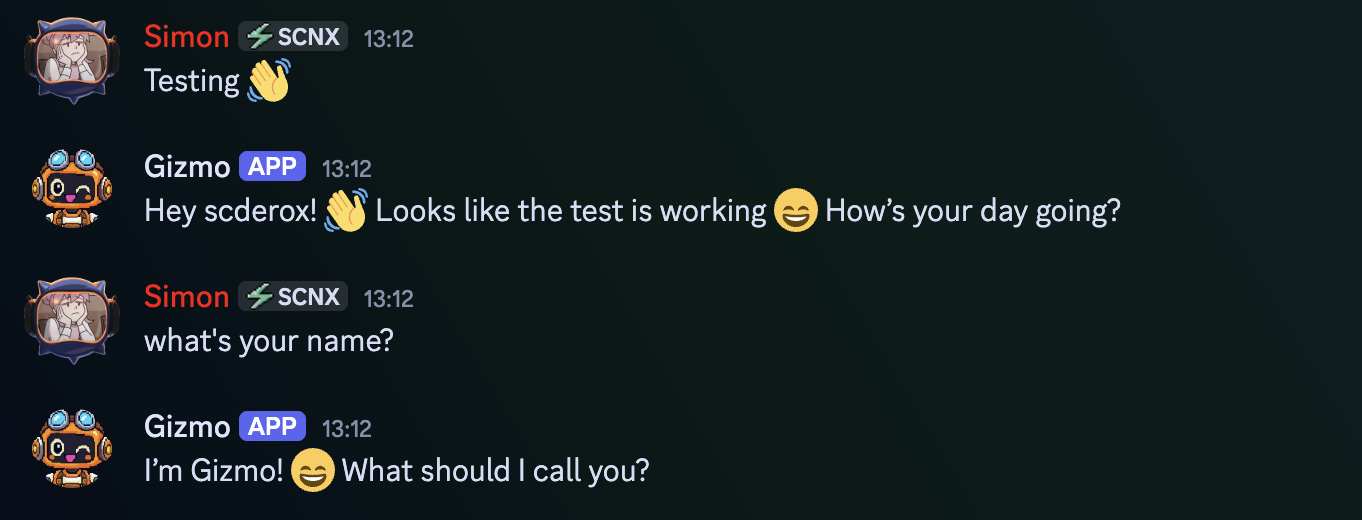
- 🎭 Custom persona: The AI can now answer in a channel with its own name and avatar instead of as your bot. Answers are sent through a webhook, so your bot needs the Manage Webhooks permission in that channel. If the persona can't be used, your bot answers itself.
- 💬 Replies to the persona: Replying to one of the persona's answers counts like replying to the bot for the reply-based trigger modes.
/imagine
Major changes
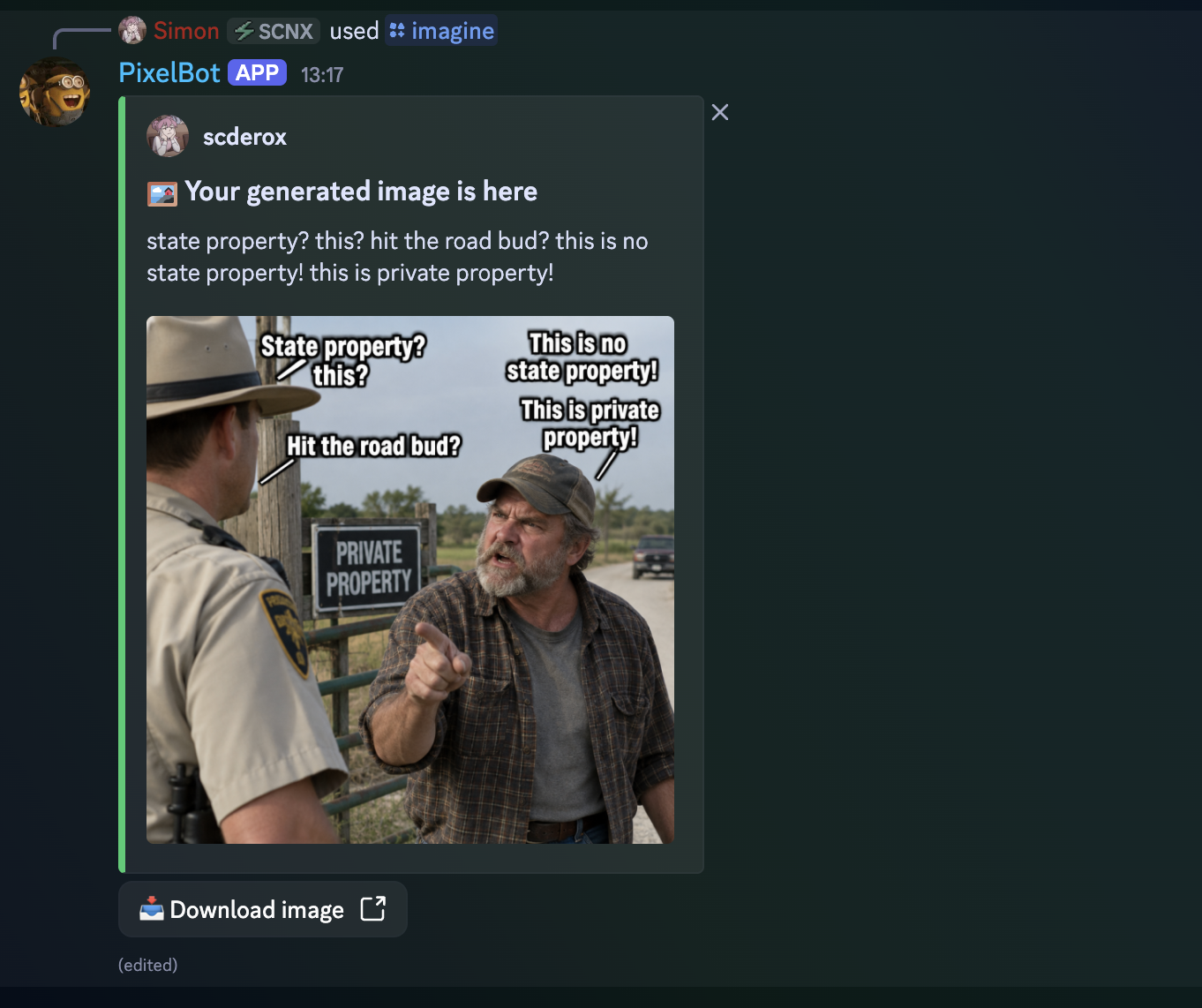
- Updated to the latest image generation models - better quality images, higher details for no additional charge.
Improvements
- 🖼️ Image quality: A new Image quality setting lets you choose between Standard (10 AI Coins, 13 for portrait or landscape) and HD (25 AI Coins) for images created with
/imagine. HD gives more detail and takes a bit longer. See the AI on SCNX FAQ for pricing. - ✂️ Prompt length: The prompt of
/imagineis now limited to 600 characters, so too long prompts are caught before they are sent.
Anti-Nuke Protection
Improvements
- 🔔 Ping roles on alerts: The new Alert Ping Roles option pings the roles you choose whenever an anti-nuke alert is posted in the log channel, so your team notices attacks right away.
RSS-Notifications
Improvements
- 📡 Feeds fetched by SCNX servers: Feeds are now fetched through SCNX servers, so they must be reachable from data centers. Some providers block data centers, in which case the feed will not work. If a feed's owner opted out of being checked, the bot now says so in the logs.
- ⏳ Longer delivery window: New items are now picked up for a little longer after publication, so slightly delayed feeds no longer get skipped.
Level-System
Improvements
- 🏆 Leaderboard user display: The leaderboard and the live leaderboard channel can now show users as a mention, a tag or their server nickname. This replaces the old tag toggle; your existing setting is kept until you choose a mode.
Bug fixes
- Leaderboard refresh: The live leaderboard channel no longer causes database lock errors when it refreshes, and a failed refresh is now reported with a clear log message.
Applications
Improvements
- 🗂️ Safe category names: Application categories can be renamed and can share names without mixing up applications.
Ticket-System
Bug fixes
- 🐛 Reordering and deleting ticket types: Ticket types no longer break when reordered or deleted.
- 🐛 Closing tickets of removed types: Tickets of a ticket type that was removed can now be closed.
Staff-List
Bug fixes
- 🐛 Reordering and deleting lists: Team lists no longer break when reordered or deleted.
Live Messages
Bug fixes
- 🐛 Reordering and deleting live messages: Live messages no longer break when reordered or deleted.
Quiz Module
Bug fixes
- 🐛 Quiz progress: Quiz progress is no longer lost or mixed up when quizzes are reordered or deleted.
Sticky messages
Improvements
- 📌 Several sticky messages per channel: Multiple sticky message elements can now be used in the same channel.
- 🐛 Moving a sticky message: Pointing a sticky message at another channel now removes the old message in the previous channel.
Minecraft Server Status
Improvements
- 🎮 Several status messages per channel: Multiple Minecraft status elements can now be used in the same channel.
Welcome and Boosts
Improvements
- 👋 Welcome tracking per element: Welcome messages are now tracked per welcomer element. Leaving members now have all their welcome messages deleted, even when several welcomer elements share a channel.
Color me
Bug fixes
- Deleted position role: Fixed an error that occurred on every member update when the role configured as the colour role position had been deleted. The bot now falls back to the bottom position and logs a one-time warning.
Staff-Goals
Improvements
- Lower database load: Counting staff messages and voice minutes now needs a single database write instead of two.
Custom-Bot Core
Improvements
- 🆔 Stable element IDs: Every config element now carries an internal ID, so modules no longer identify elements by name or position.
- 📋 Duplicate button: Config elements can now be duplicated with one click.
- 🔀 Free reordering: The reorder warnings in the dashboard are gone, because reordering config elements is now safe everywhere.
Improvements
- 🗄️ Database stability: Database writes are now queued instead of competing with each other, which greatly reduces database is locked errors on busy servers. Periodic background tasks (leaderboards, live messages, team lists and others) no longer all start at the same moment, and their errors are logged with details.
- 📊 Analytics: Statistics are written in small batches, so they no longer slow down other features, and memory use is capped. Old raw events are cleaned up hourly. The
/analytics-privacycommand responds more reliably on busy servers. - ⚙️ Custom commands (CCV3): Usage budgets are saved in batches, and several internal records that previously grew without limit are now cleaned up, which lowers memory use and disk load on servers with many flows.
Improvements
- The bot handles failing slash command syncs better.
Bug fixes
- 🐛 Configuration loading: An invalid or deleted role, channel or other stored ID in a configuration could stall the bot while it loads its configuration. Invalid values are now handled gracefully instead.